Showing posts with label Windows Mobile. Show all posts

Tuesday, January 1, 2008

SideShow Coming To Windows Mobile, iPhone

Ikanos Consulting is developing a framework which is in beta testing which will, when completed, allow you to run Windows SideShow Gadgets on a Windows Mobile device, finally bringing SideShow to the masses.

SideShow is a wonderful technology in Vista, allowing the display and access of data from a Vista PC on external mini-devices (usually little screens with a few buttons on the outside of a PC case), but the hardware is very specific and very rarely implemented. With support for running SideShow programs (Gadgets, just like the Sidebar kind) on mobile phones, SideShow can be used by any of the millions of Windows Mobile phones.

With SideShow, you can check email on your host PC, select music for the PC to play, see the weather or your Messenger buddy list, or load up any Gadget that's been created by anyone for the purpose. There aren't a ton of Gadgets now, but once the hardware gets out there (and by enabling existing devices, it gets out there a lot faster), developers will start creating even more cool functionality.

http://microsoft.blognewschannel.com/archives/2007/12/31/sideshow-coming-to-windows-mobile-iphone/

Tuesday, August 21, 2007

Microsoft Windows Mobile Device Center 6.1 for Windows Vista released

The Windows Mobile Device Center enables you to set up new partnerships, synchronize content and manage music, pictures and video with Windows Mobile powered devices (Windows Mobile 2003 or later). The Windows Mobile Device Center combines an efficient business-data synchronization platform with a compelling user experience. The Windows Mobile Device Center helps you to quickly set up new partnerships, synchronize business-critical information such as e-mail, contacts and calendar appointments, easily manage your synchronization settings, and transfer business documents between your device and PC.

This new version of the Windows Mobile Device Center contains key improvements and new features to support Windows Mobile 6 devices. The Windows Mobile Device Center 6.1 is only supported on Windows Vista.

Key updates in Windows Mobile Device Center 6.1 include:

  • Windows Mobile 6 feature support
  • Information Rights Management activation - Automatically configure the Windows    Mobile  6 device to open IRM-protected documents and files
  • HTML mail – Set up your Windows Mobile 6 device to sync HTML-formatted mail
  • Certificate Enrollment - Acquire certificates through the PC the Windows Mobile 6 device is currently connected to
  • Allow data connections on the Windows Mobile 6 device when connected to the PC
  • File synchronization for smartphones – Synchronize files with your Windows Mobile 6 devices, including both touch screen and non-touch screen devices
  • Automatic device authentication - Connect the Windows Mobile device to the PC without the need to enter the device-lock PIN every time upon connect
  • Product Registration - Register your Windows Mobile device and get connected to information and offers available for your device

Windows Mobile Device Center 6.1 is fully compatible with Windows Mobile 2003 devices and later.
Basic connectivity support for Windows Embedded CE 4.2, 5.0, Pocket PC 2002, and Smartphone 2002 devices - Connect over USB and serial, use desktop passthrough using the PC’s internet connection, and file browse.

Download the 32 bit version here and 64 bit here

Tuesday, July 17, 2007

Live Search for Windows Mobile v2 Released

 The latest version of our Live Search for Windows Mobile client is out the door! We continue to improve this great service by offering new requested functionality such as movie showtimes, restaurant ratings and better GPS navigation. As always, you can find the latest bits by pointing your Windows Mobile device browser to http://wls.live.com.

What’s new in V2?

  • Movie Showtimes:  Want to see a movie but don’t know what’s playing?   Get Movie Showtimes near you and be on your way! 
  • More Local Data:  Want to go out for dinner but not sure which restaurant to pick?  Let your fellow restaurant goers help you out – make a decision based on user ratings.
  • Maps:  View Mobile Virtual Earth maps wherever you are.  For improved performance, pop in your storage card to enable the large cache option.
  • Directions: Lost?  Get found with better support for GPS integration and improved turn-by-turn navigation.  We’ll even prompt you to auto-reroute if you get lost! 
source- activewin

Tuesday, June 19, 2007

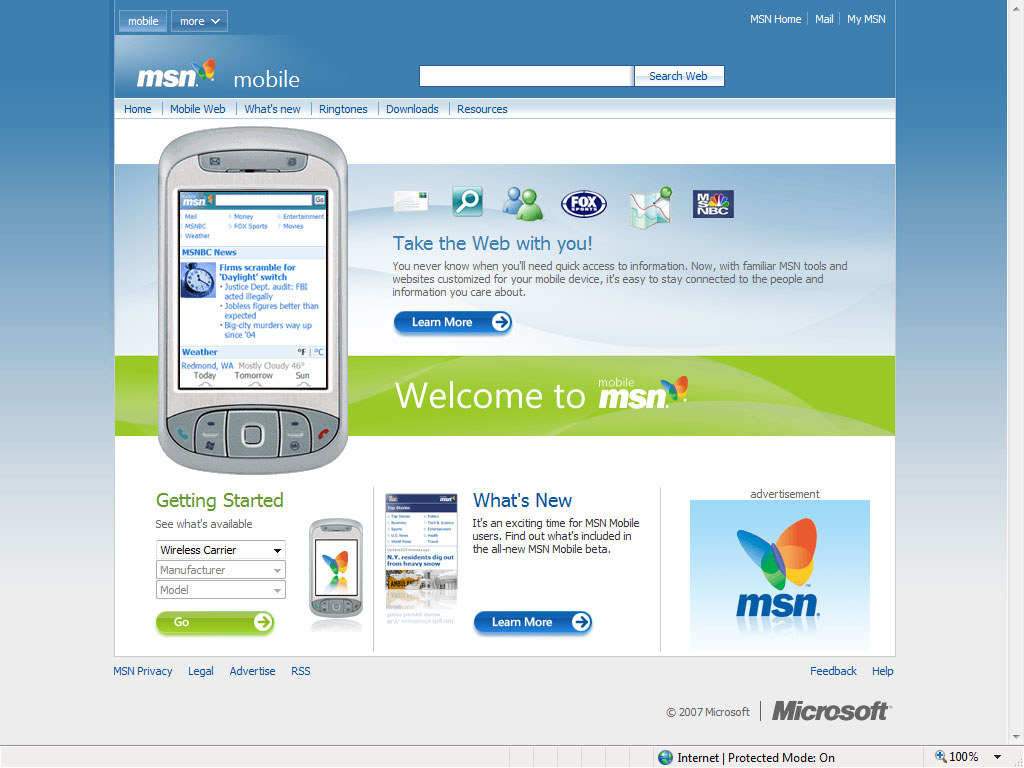
Microsoft launches new-look MSN for mobile phones

The MSN Mobile Team at Microsoft launched a redesigned MSN portal optimized for mobile phones on Sunday, stepping up its offering at a time when more powerful devices increase the demand for richer content on handsets. However mobile Internet use still represents only a fraction of computer-based Web usage, but that could change with companies like Microsoft who see increasingly powerful mobile phones and faster networks opening the door for new services and content.

“We firmly believe there is an inflection point here,” said Phil Holden, Microsoft’s director of mobile Web services. “There’s a new battle, a new frontline developing on the mobile phone.”

Microsoft’s new MSN Mobile portal available at http://mobile.msn.com offers news, sports information, entertainment features and access to services like e-mail, search, maps and instant messaging all on one page. And what’s great is that when a user accesses the portal, the MSN platform detects the handset and optimizes the site for that device, adjusting things like font sizes for different screens.

source- liveside

Wednesday, May 30, 2007

Windows Mobile Device Center 6.1 - coming soon

In the next few weeks, the Windows Mobile Device Center team will be launching an update to Windows Mobile Device Center 6.0. Aside from bug fixes and improvements over WMDC 6.0, the update (version 6.1) will include feature support for Windows Mobile 6 devices; this includes support for file synchronization on both touchscreen and non-touchscreen Windows Mobile 6 devices. We'll make a formal announcement here on the blog once the update is officially released.

Source- windows Vista blog

Monday, February 12, 2007

Microsoft Announces Three New Windows Live Products for Mobile Devices

Product innovations provide customers with new ways to stay connected and informed, offer new revenue for mobile industry.
Today at 3GSM World Congress 2007, Microsoft Corp. announced three new Windows Live™ for mobile services that provide search and communications capabilities to help people access their world of relationships, information and interests from their mobile device. Now available in the United States and the United Kingdom, Live Search for Windows Mobile® and Live Search for Java provide customers with advanced local search and mapping capabilities on their mobile device. In conjunction with the availability of Windows Mobile 6, Microsoft also introduced Windows Live for Windows Mobile — a rich set of Windows Live services including e-mail, instant messaging and search — uniquely designed to work with Windows Mobile powered devices.
“People want to stay connected and informed wherever they are, and our aim is to deliver easy-to-use, familiar mobile services that keep people connected to the people and information they care about,” said Steve Berkowitz, senior vice president of the Online Services Group at Microsoft. “Live Search for mobile and Windows Live for Windows Mobile are the latest examples of our commitment to enhancing the mobile search and services experience for our customers, and helping mobile operators, OEMs and advertising partners access new revenues and differentiate their products in this competitive mobile market.”
Live Search for Windows Mobile and Live Search for Java
Live Search is now available as a software client application on Windows Mobile and Java devices. These Live Search applications represent the latest innovation in mobile search from Microsoft, providing customers with fast, easy-way access to local listings and maps. New capabilities include a unique, category-based search, which virtually eliminates the need to type text into the phone; an option to “map all results” so several listings appear on the same map; aerial imagery; and local traffic status in selected U.S. cities. Live Search for Windows Mobile provides additional new capabilities including satellite imagery, GPS integration and the ability to send search results to a friend.
The new Live Search applications will be available in the United States and the United Kingdom to customers using Windows Mobile powered devices, Nokia Series 40 and Series 60 devices, the Motorola RAZR/SLVR family, and assorted LG and Samsung devices. Live Search for mobile provides Windows Mobile and Java customers the following capabilities:
Category-based local searching. Live Search for mobile offers the new option to search for local businesses, points of interest or services right on a mobile device without any typing. Based on their location, users can browse categories such as restaurants, hotels and accommodations, and shopping. Searches return local results with address and telephone details and provide easy options to save to contacts, map directions to or from, search nearby, map all locations, or call. Customers can also enter specific search terms to find information about a business listing, residential listing or business topic, and with integrated contact information users are able to send listing results to a friend.
Maps and directions. Global positioning capabilities built into Live Search for mobile enable users to search and explore routes from their current location. Users can enter virtually any start and end point to retrieve routes with turn-by-turn directions and display maps with road or aerial views. For the best user experience, Live Search capabilities from Microsoft use new Virtual Earth™ technology to provide rich, responsive local searches with maps, directions and imagery; aerial imagery is available for Windows Mobile customers.
Traffic. Real-time traffic data is available for more than 25 U.S. cities, including Boston, Chicago, Los Angeles, San Francisco, Seattle and Washington, D.C. Traffic conditions are reported on local maps with simple green, red and yellow gradients.
Customers interested in the Live Search for Windows Mobile and Live Search for Java applications can go to http://mobile.search.live.com to view a complete list of device availability and download the software for their device at no cost. Users can easily download the Live Search client directly to their mobile phone by going to http://wls.live.com on their phone’s browser.
Live Search for mobile provides partners and advertisers with the opportunity to create new revenue through demand for data plans and new devices as well as mobile advertising. By providing highly relevant, location-based sponsored content, Microsoft® Live Search helps increase the value of mobile search for consumers and advertisers. Local search is one of the top advertising platform opportunities based on user interest; Microsoft is continuing its work to provide the best local search experience for customers and partners.
Continue At Source


News Source: www.microsoft.com

Wednesday, January 17, 2007

MSN to launch new mobile beta homepage - MSN to go

With Steve Berkowitz firing on all cylinders to keep the MSN brand rolling, the start of 2007 should see MSN taking back some of the spotlight from Windows Live.

First up is MSN to go, the new MSN Mobile service. Similar to its Windows Live counterpart, MSN to go offers users a homepage for their mobile device, with both Windows Live Mail and Search integration. Where it differs though is that unlike the mobile Live.com, MSN to go does not have all the customisation options such as gadgets and feeds, instead focusing on providing MSN content such as news, sports and movie times.

The new MSN mobile homepage follows the recent launch of the Soapbox mobile page, reinforcing the belief that mobile is one of the areas where Microsoft's online efforts are equal to, if not better than, its rivals. The only concern is that users may become overwhelmed with the number of mobile services now available to them, especially when it comes to mobile messaging.

Check it out and let us know what you think. MSN or Windows Live mobile?

MSN to go: http://beta.mobile.msn.com/ on your mobile device (PC link)
Windows Live mobile: http://mobile.live.com/ on your mobile device (PC Link / Homepage)